

 By
By 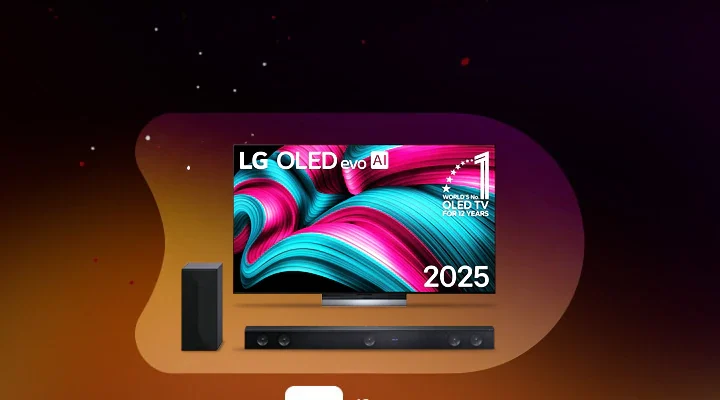
A comprehensive investigation has put LG Electronics in the spotlight over privacy concerns surrounding its webOS Smart TVs.
Published by tech outlet Gamers Nexus in collaboration with Level1Techs and independent security researchers, the report alleges that LG Smart TVs actively map local home networks and can capture ambient audio even when the screen appears powered down in standby mode.
During bench tests using Wireshark network packet captures on LG OLED models, researchers observed the televisions systematically scanning local area networks (LAN) to catalog non-TV hardware, including smartphones, smartwatches, and laptops. The sets also harvested neighboring Wi-Fi network names and signal strengths to infer location data. This network data feeds into LG Ad Solutions, the company’s targeted advertising division, which boasts access to roughly 363 million secondary addressable devices in the U.S. alone via cross-device network profiling.
Security researchers demonstrated that built-in microphones could capture audio in standby.
When disconnected from Wi-Fi, the TV saved voice data into local system logs and uploaded the buffered audio once internet connectivity was restored. The team also reported discovering unpatched remote code execution (RCE) vulnerabilities within webOS during their audit.
LG strongly denied allegations of routine spying. In an official statement, the manufacturer stated that its TVs do not record or transmit ambient living room conversations. LG explained that audio processing occurs only when a user holds the remote’s voice button or explicitly activates the “Hi LG” far-field wake word. It also defended local network sweeps as standard functionality for connecting nearby smart devices.
Despite LG’s assurances, security analysts recommend that privacy-conscious owners disconnect their smart TVs from the internet entirely and rely on external media players instead.
To disable Automatic Content Recognition (ACR), limit targeted advertising, and shut off microphone listening in LG webOS, adjust the following core settings.
(Note: Menu titles vary slightly depending on your webOS version, but the categories remain consistent across webOS 6.0 through webOS 24.)
1. Disable Automatic Content Recognition (Live Plus)
Stops screen and audio fingerprinting
A. Press and hold the Settings (gear icon) button on your Magic Remote.
B. Navigate to General > System > Additional Settings (or Advanced Settings).
C. Toggle Live Plus to OFF.
2.
Verification: The Live Plus toggle switch will turn off and gray out, confirming the TV has stopped taking real-time media fingerprints.
3. Turn Off Always-Listening Voice Control
Prevents microphone active listening
A. Go to Settings > General > AI Service.
B. Select Voice Recognition Settings.
C. Turn off Hands-free Voice Control, Voice Response, and Voice ID.
4.
Verification: Say “Hi LG” near the TV if disabled, the on-screen voice assistant will not wake up or respond.
5. Revoke Data Collection and Privacy Agreements
Opt out of background telemetry
A. Go to Settings > Support > Privacy and Terms > User Agreements.
B. Uncheck Viewing Information, Voice Information, and Interest-Based and Cross-Device Advertising.
C. Confirm to save your selection.
6.
Verification: Reopen the User Agreements menu to ensure the checkmarks next to those optional policies remain cleared.
7. Limit Ad Tracking and Erase Stored Voice/Viewing Logs
Purge existing tracking profiles
A. Go to Settings > Support > Privacy and Terms > Advertising (or Additional Settings > Advertisement).
B. Toggle Limit AD Tracking to ON, then click Reset AD ID.
C. Select Delete My Personal Information to erase saved viewing and voice audio logs from LG’s server profile.
8.
Verification: A confirmation message will appear indicating your Advertising ID has been reset and local personal data logs have been deleted.










Comments