

 By
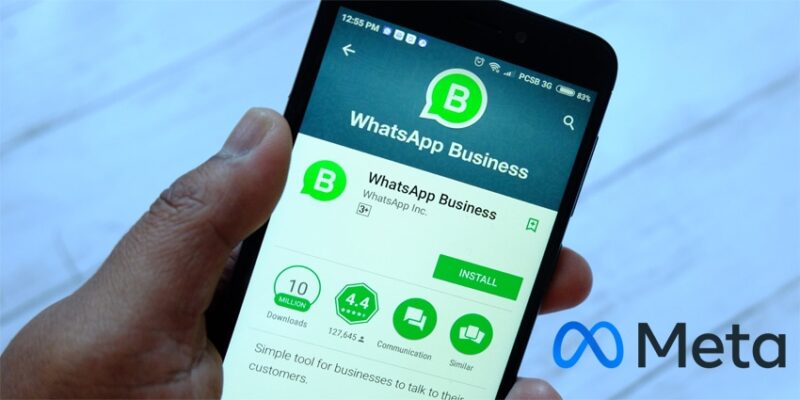
WhatsApp has rolled out Meta Business Agent, a new artificial intelligence service designed to help businesses handle customer inquiries and enhance sales interactions directly within the app.
Currently available to select businesses in limited countries, the feature aims to streamline customer communication by allowing companies to deploy an automated assistant tailored to their specific offerings.
Once connected, Meta Business Agent draws from a company’s existing digital footprint, including its product catalog, public profiles, websites, business description, address, and operating hours to generate real-time responses.
The AI is equipped to answer routine questions about operating hours and locations, provide detailed product or service information, offer personalized recommendations, share pricing details, and address queries regarding discounts, payment methods, and shipping.
Despite its automation capabilities, WhatsApp has built in controls to ensure business owners remain in charge of their customer relationships. If a business owner decides to step in and reply to a customer manually, the AI automatically pauses its automated responses until the owner unmutes it or adjusts their AI reply settings.
The system is also designed to alert business owners via device notifications whenever it determines that a customer requires human attention.
Transparency is also central to the rollout. The first time a customer messages a business utilizing the feature, WhatsApp displays a clear disclosure: “AI from Meta receives chats to improve AI quality and generate messages for this business.” Meta notes that AI-generated responses may not always be accurate or appropriate, and provides avenues for users to submit feedback on message quality.
Businesses considering the tool should be aware of how data is handled and how enabling the agent affects existing app functionality.
Messages exchanged in chats connected to Meta Business Agent are collected by Meta to improve its AI models, a practice that continues even if the agent is temporarily muted.
Businesses can review what information has been shared by navigating to Tools > Your AI agent > Download your data > Request report on the WhatsApp Business mobile app, though this download option is not available on WhatsApp Web.
To stop sharing chat data with Meta entirely, businesses must delete the Meta Business Agent.
Activating the feature also comes with a few operational trade-offs inside the WhatsApp Business app. Turning on the AI agent may restrict access to broadcast lists, disappearing messages, and traditional greeting and away messages.
Enabling the tool disconnects all currently linked companion devices. While most devices can be re-linked after setup is complete, WhatsApp for Windows, Android tablets, and WearOS remain unsupported alongside the agent.
Language support for Meta Business Agent is currently limited and is automatically determined by the country code of the business’s registered phone number.
Eligible businesses using the WhatsApp Business app can activate the feature by:
- Tap Tools > Your AI agent.
- Under Other things you can do, tap Download your data > Request report. A downloadable file will be generated for you.
Companies that do not yet have access can join a waitlist, while larger enterprises operating on the WhatsApp Business Platform can consult Meta’s developer documentation for integration details.
Should a business decide the tool is no longer a fit, deleting the agent immediately restores access to standard app features.











Comments